I have created an instructional run through of adding a new product.
I have also attached a video at the bottom of the page if that is easier for you.
1. Creating a New Post
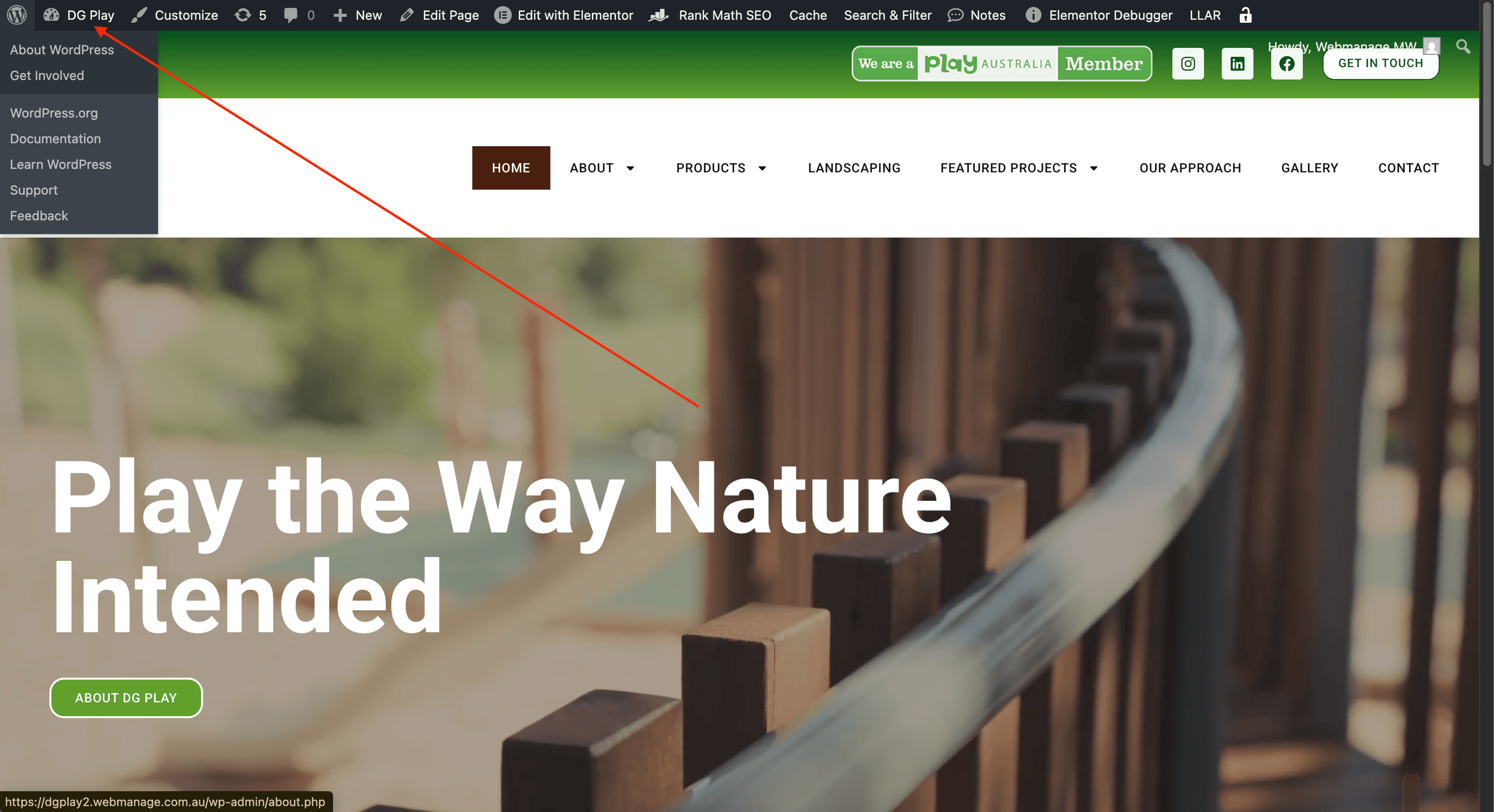
Once you have logged into the backend of the admin click the button that says DG Play at the top left
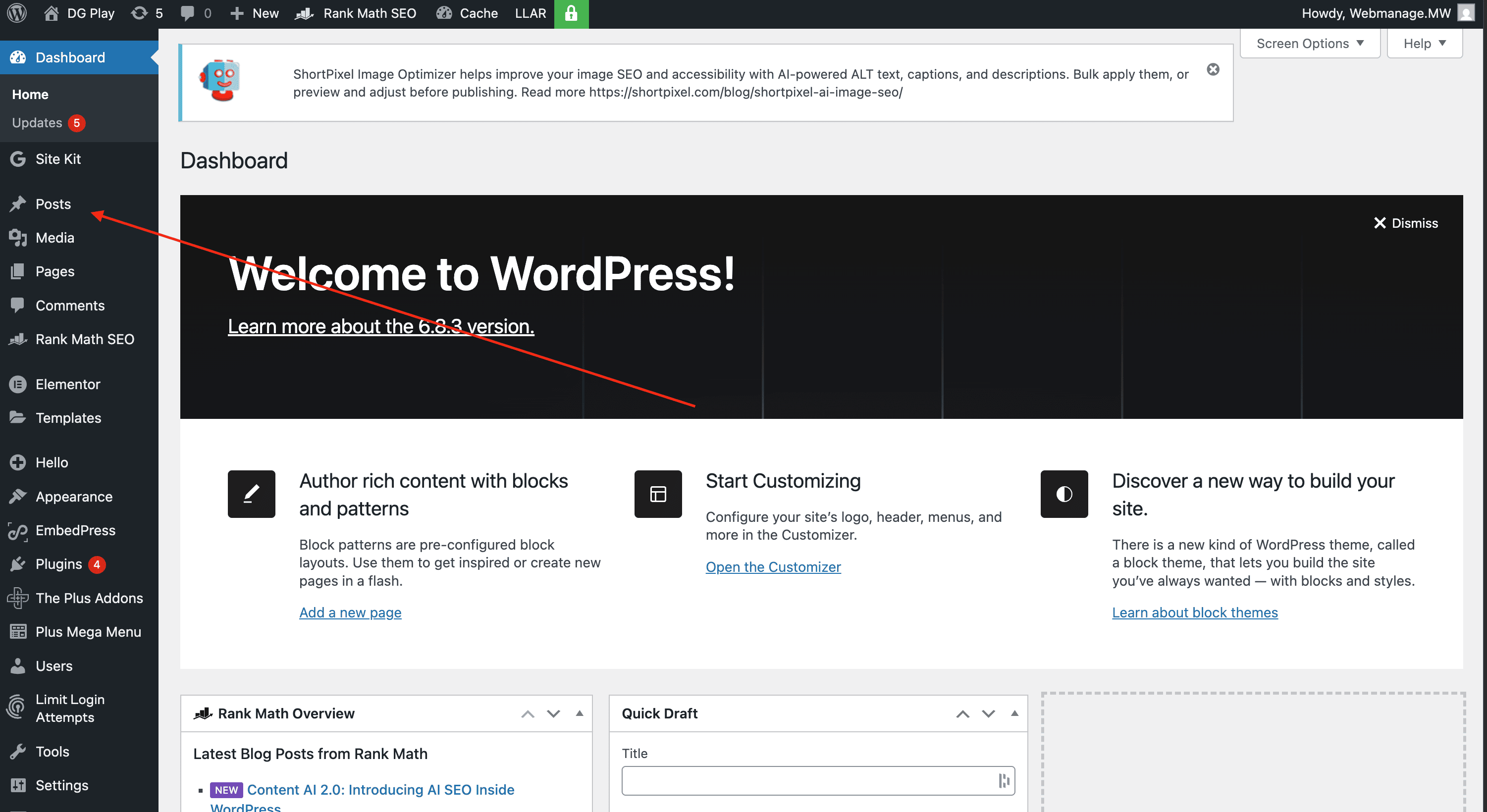
Click through to posts along the left tab
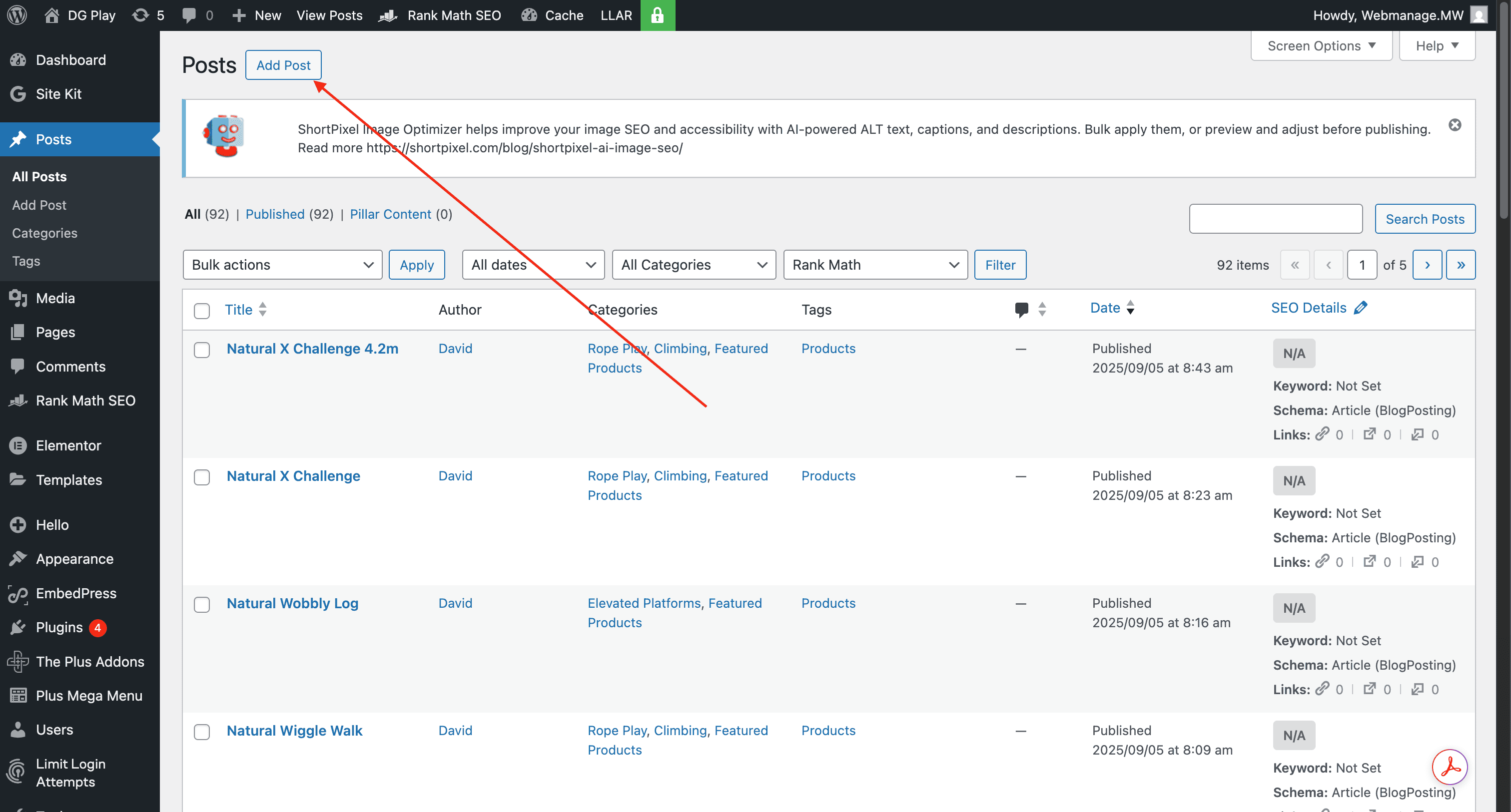
Click “Add Post”
2. Adding Content into the Post
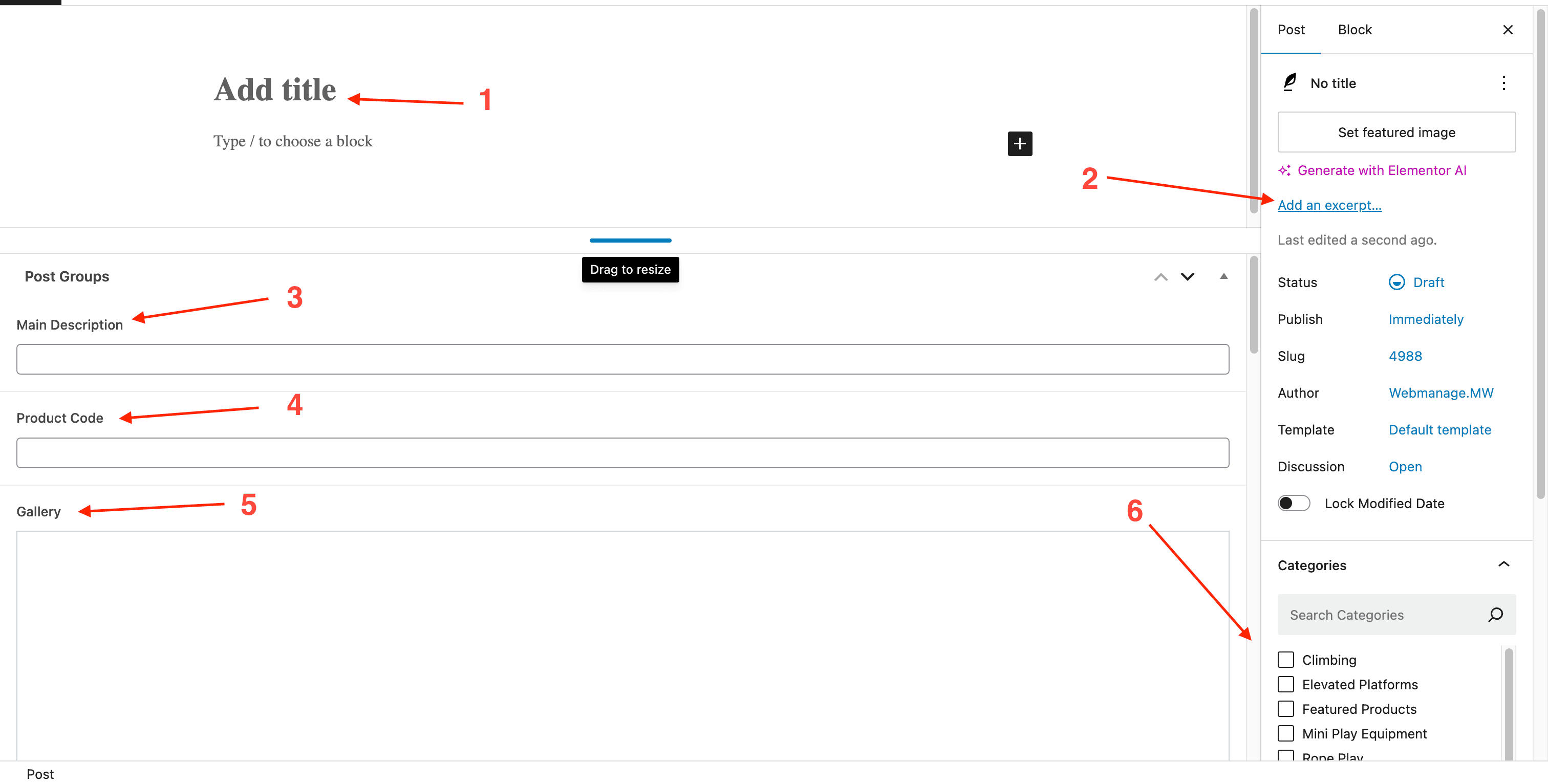
Once you are in the post creator, you will see two columns, I have labelled this page with numbers as reference so that you know what goes where.
When you click “add file” in any of the fields, a media section will popup, this is where you can upload the specific content that you want for the product.
To start, set featured image, this will be what pops up on the product archive as the main image
This is where the header goes
Excerpt goes here, this will be in the product gallery
Main description will go here
Product code
Gallery, make sure that the featured image is put first here as well as in the “set featured image”
Select the Category here, you can select multiple categories
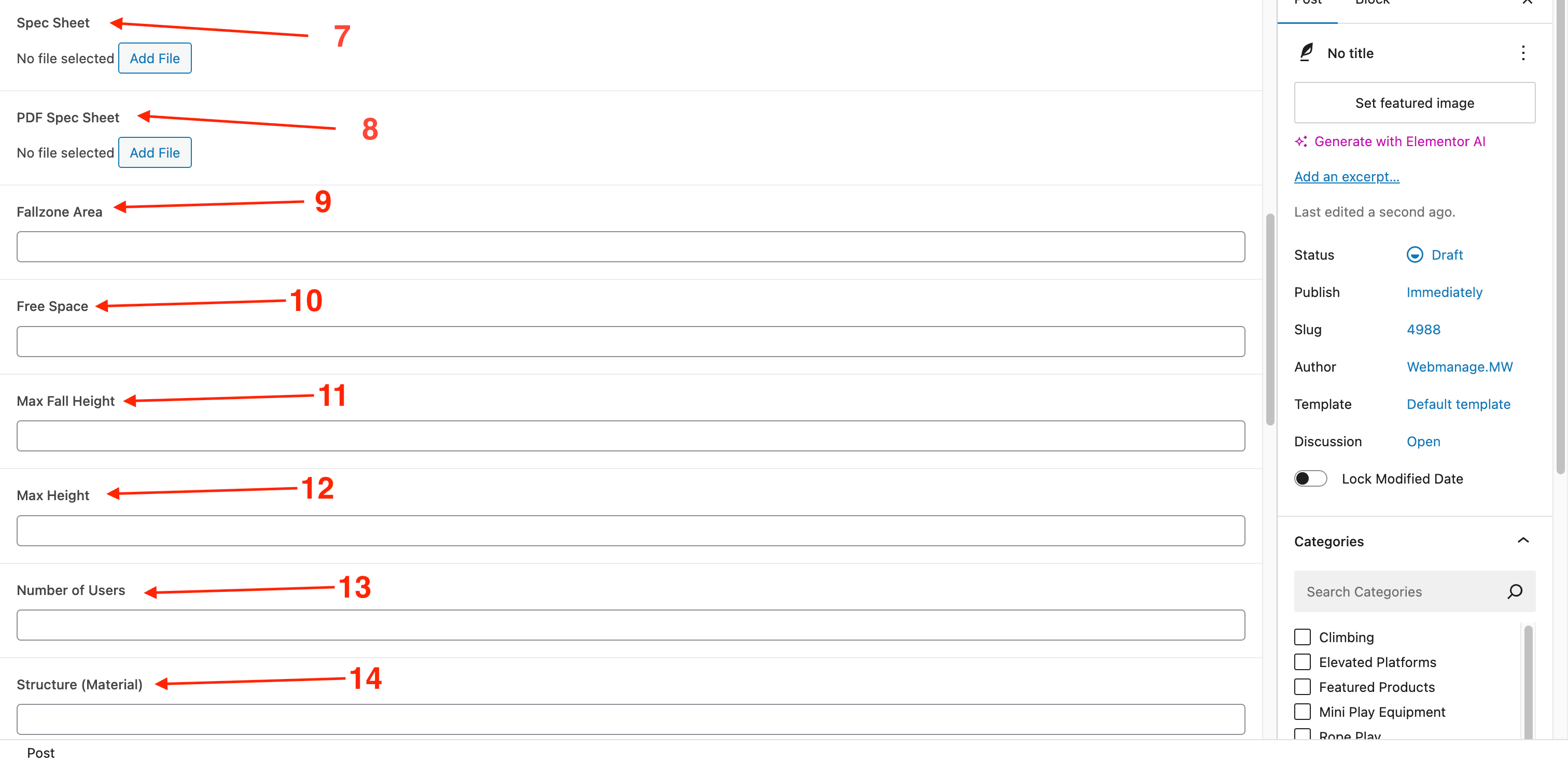
Here is where the spec sheet gets added
Ignore this one
Add “Fallzone Area” of product (if applicable) if not, leave empty, it will auto-fill with N/A
Add “Free Space” of product (if applicable) if not, leave empty, it will auto-fill with N/A
Add “Max Fall Height” of product (if applicable) if not, leave empty, it will auto-fill with N/A
Add “Max Height” of product (if applicable) if not, leave empty, it will auto-fill with N/A
Add “Number of Users” of product (if applicable) if not, leave empty, it will auto-fill with N/A
Add “Structure (Material)” of product (if applicable) if not, leave empty, it will auto-fill with N/A
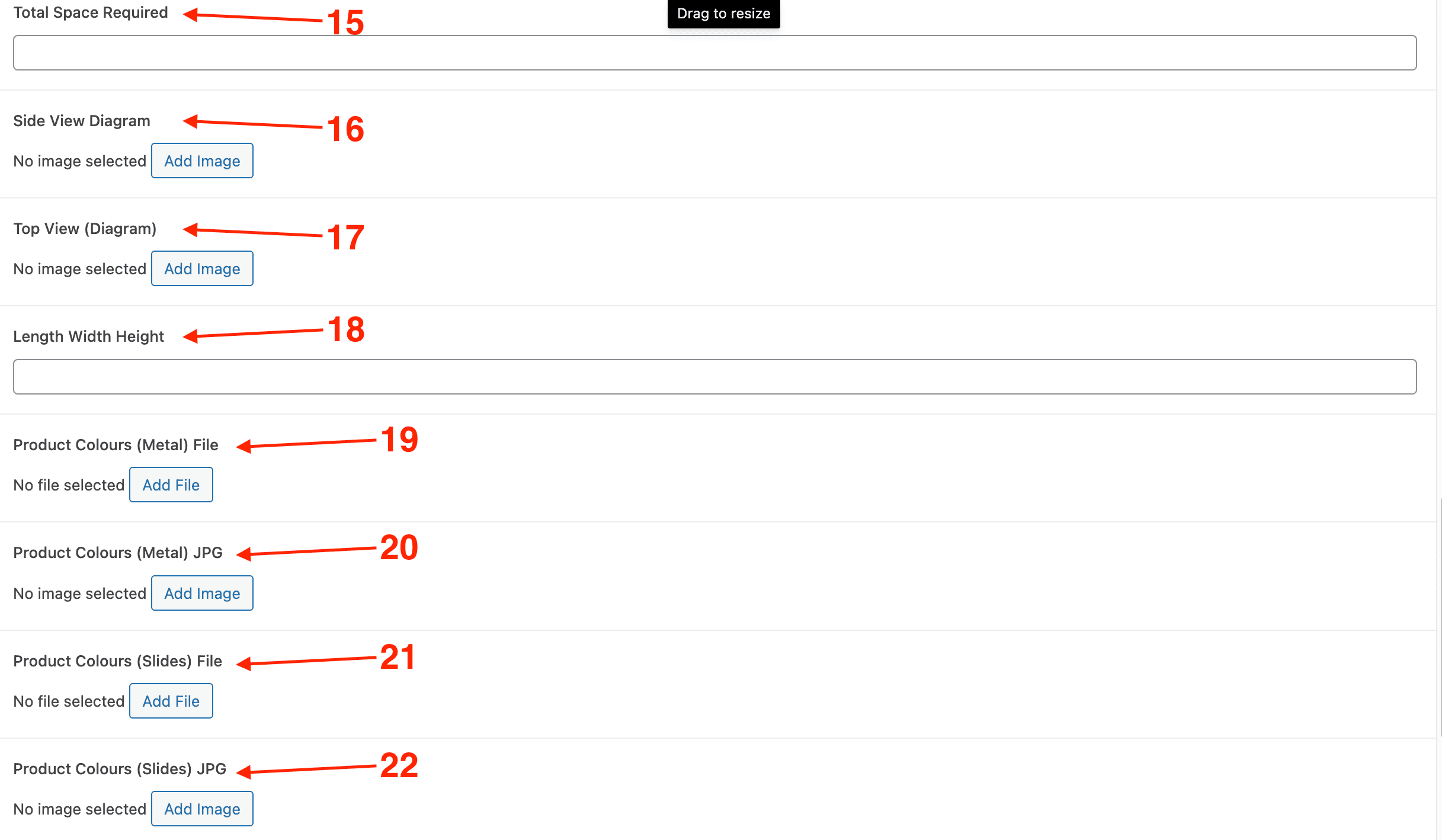
Add “Total Space Required” of product (if applicable) if not, leave empty, it will auto-fill with N/A
Add “Side View Diagram” of product (if applicable) through the media section
Add “Top View Diagram” of product (if applicable) through the media section
Add “Length Width Height” of product (if applicable) if not, leave empty, it will auto-fill with N/A
Click the “Product Colours (Metal) File” if it applies to that product. It is sitting in the media library that pops up under the name “Metal Colours – PDF”
Click the “Product Colours (Metal) JPG” if it applies to that product. It is sitting in the media library that pops up under the name “Metal Colours”
Click the “Product Colours (Slides) File” if it applies to that product. It is sitting in the media library that pops up under the name “Slide Colours – PDF”
Click the “Product Colours (Slides) JPG” if it applies to that product. It is sitting in the media library that pops up under the name “Slide Colours”
Click the “Product Colours (Rope) File” if it applies to that product. It is sitting in the media library that pops up under the name “Rope Colours – PDF”
Click the “Product Colours (Rope) JPG” if it applies to that product. It is sitting in the media library that pops up under the name “Rope Colours”
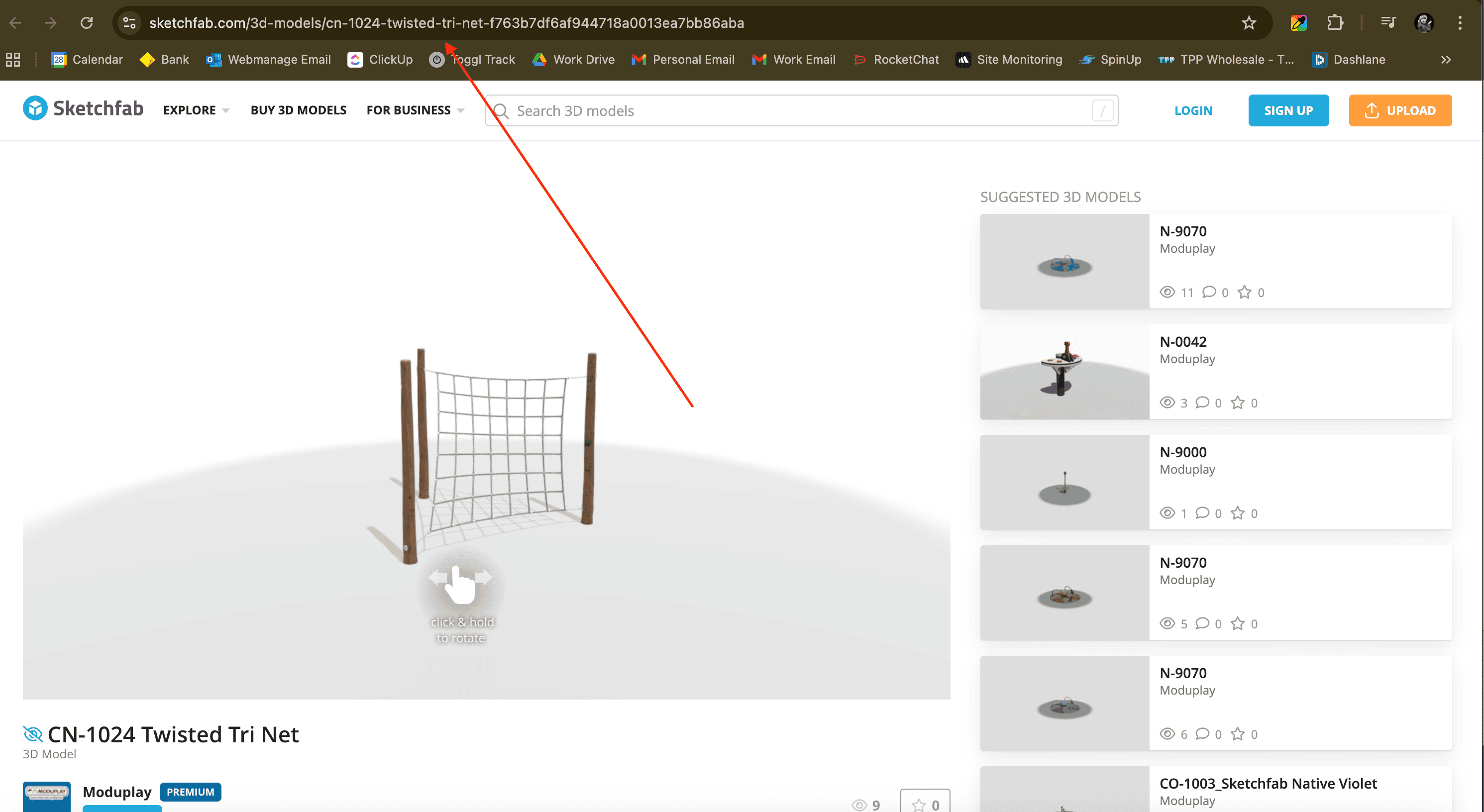
For the 360 model, you need to source the link from SketchFab. Once you have it for the specific product, paste it in here.